
To add or remove a Property Coordinator for a Cost Center, first determine if the person has the Property Coordinator Role. If not, follow the instructions to Request the Property Coordinator Role in Workday for the individual. Once the role has been assigned to the person, return to this page to complete the steps.
Create a ServiceNow request for Cost Center - Request Change.
On the request form, answer the question "Are you the Authorized Requestor or Finance Director for your organization?". Then select your Company and enter your Cost Center Name.
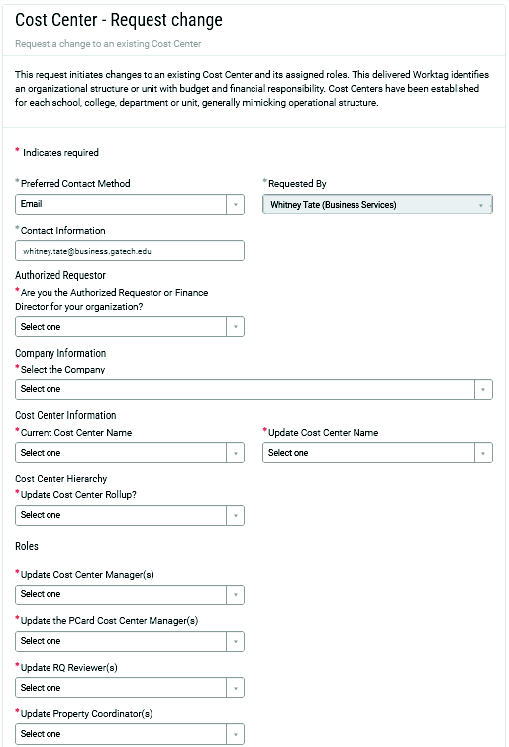
Under Roles, select Update Property Coordinator(s).
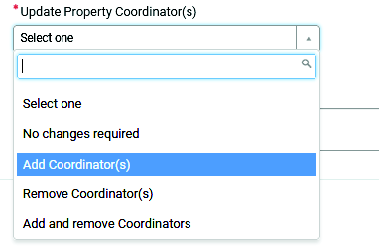
Choose to Add, Remove, or Add and Remove Coordinators.
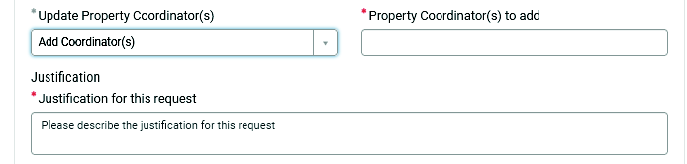
In the Property Coordinator(s) to Add field, enter the names of the Property Coordinators.
In the Justification field, enter the justification for this request.
On the right side of the page, click Submit Request. You will be notified when the FDM team has completed the request.